
A prospect fills out your contact form on Monday. Someone calls on Tuesday, leaves a note in a spreadsheet, and promises to send a proposal. On Thursday, a different salesperson calls the same person and asks the same questions.
Imagine being the prospect. You are ready to explain what you need, but the company cannot remember a conversation it already had.
A successful AI CRM implementation starts with a shared customer record, clear responsibility for the next action, and reliable data. Once those foundations work, AI can help summarise conversations, prioritise opportunities, and reduce repetitive administration. Automating a confused process usually makes the confusion harder to untangle.
What an AI CRM should actually help you do
A customer relationship management system stores and organises interactions with prospects and customers. AI adds capabilities such as summarising calls, suggesting next steps, identifying patterns, or scoring leads. Exactly what is available depends on the product and how it is configured.
Start with the work you want to improve. Perhaps enquiries wait too long for a response. Perhaps salespeople spend Friday afternoon assembling reports. Perhaps a customer must repeat the same issue whenever they speak to a different team.
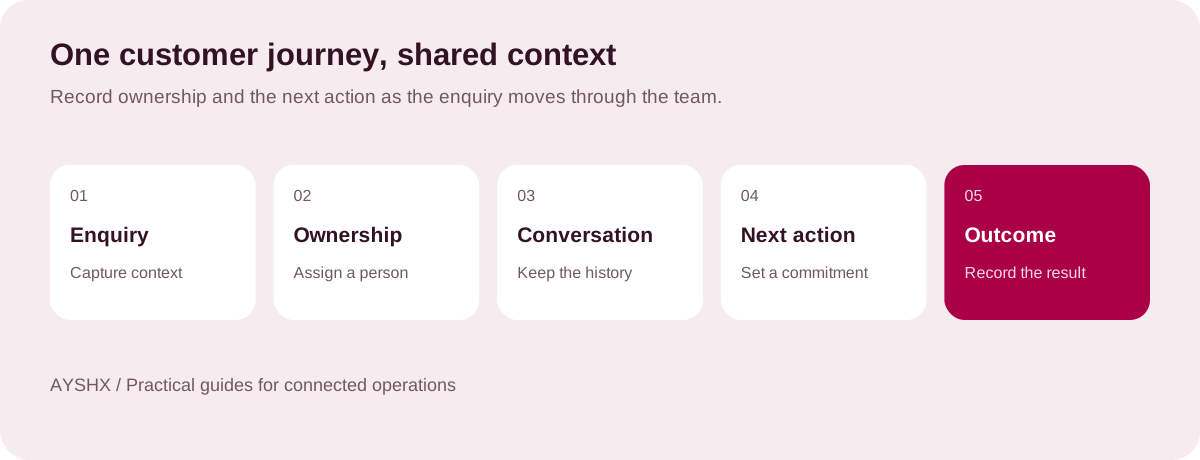
Choose one problem and describe the desired behaviour. “Every new enquiry has an owner and a recorded next action” is specific enough to implement. “Make sales smarter” leaves too much room for disagreement.
There is a good reason to focus on the underlying systems. In its 2026 State of Sales research, Salesforce reports that 51% of sales leaders using AI say disconnected systems slow their AI initiatives. The survey covered 4,050 sales professionals across 22 countries. It is vendor research, but the finding is a useful prompt to examine where customer information lives. Read the Salesforce research and methodology.
Map the process with the people who use it
Ask a salesperson to show you the last five opportunities they worked on. Follow the emails, calendar entries, call notes, and documents. You will learn more from those examples than from a list of requested features.
Pay attention to the work people do outside the official process. A private spreadsheet may exist because the current system cannot show the information a rep needs. A manager may request screenshots because they do not trust the dashboard. These workarounds tell you what the new setup must resolve.
Agree on the minimum meaning of each pipeline stage. An opportunity should not become “qualified” simply because someone liked the initial conversation. Define the evidence required, such as a confirmed need, an appropriate contact, and an agreed next step.
Keep the first version manageable. A short pipeline that people use consistently is more valuable than a detailed one whose stages mean different things to every team.
Clean the data before migration
Moving every historical field into a new CRM can preserve years of clutter. Decide what the team needs for active work, what must remain accessible for other business reasons, and what can be archived according to the organisation’s retention rules.
Create a field map before importing anything. It should identify the source field, the destination field, the expected format, and the person who can resolve exceptions. Check whether an account means a company, a branch, a household, or something else in your sales model.
For the initial migration, inspect:
- Duplicate contacts and companies, including records with different spellings.
- Phone number formats, time zones, and preferred contact methods.
- Active opportunities, account owners, and upcoming commitments.
- Missing values in fields required for routing or reporting.
- Consent, access restrictions, and records that should not move.
- Links between contacts, companies, activities, and documents.
Run a sample import and reconcile it against the source. Record counts are useful, but they do not prove that the relationships are correct. Open several accounts and make sure their contacts, notes, and opportunities belong together.
Introduce automation in an order the team can trust
Begin with work that is easy to inspect. Routing a lead to an agreed owner, reminding someone about an overdue task, or drafting a call summary gives the team a visible result they can check.
Customer-facing actions need more care. A follow-up message can contain an incorrect promise even when its grammar is perfect. Decide which messages require approval, which events stop an automated sequence, and how a customer’s reply changes the next action.
Lead scoring deserves its own review. Ask what the score is intended to predict, what information it uses, and how performance will be evaluated. If the team has limited historical outcome data, a transparent rules-based approach may be easier to justify initially. A score should support judgement rather than quietly decide which customers deserve attention.
Test awkward cases: an existing customer submitting a new form, a duplicate enquiry, a rep taking leave, an opportunity reopening, and a contact asking not to be called. These are ordinary business events, and the workflow should accommodate them.
Run a pilot around one complete sales journey
Select a team or enquiry type with enough activity to observe the process. Keep the scope narrow, but include the full journey from capture to outcome. Testing isolated features will miss the handoffs between them.
Give participants short, practical training using their own scenarios. Show them how to find context, correct a summary, reassign an opportunity, and stop an incorrect automation. Name a person who can answer questions during the pilot.
Keep a simple issue log. Record what happened, the effect on the customer or team, the workaround, and the owner of the fix. Review recurring issues before extending the rollout.
Measure the sales process, not just logins
Choose a small set of measures before launch so the pilot has a fair comparison.
| Measure | What it helps you understand |
|---|---|
| Median time to first response | Whether new enquiries receive attention sooner. |
| Open opportunities without a next action | Whether follow-up responsibility is clear. |
| Duplicate and incomplete records | Whether the shared customer record is improving. |
| Progression between defined stages | Where suitable opportunities stall. |
| Administrative time per opportunity | Whether the setup reduces work for salespeople. |
Compare similar lead sources and customer segments. A change in conversion rate may reflect a different campaign or seasonal demand. Do not attribute every improvement to the CRM without checking what else changed.
Questions worth answering before you choose a platform
Do we need to replace our current CRM? Not necessarily. If the existing platform can support the required workflow through better configuration or an integration, fixing it may be less disruptive than replacing it.
How long should implementation take? Scope drives the schedule. Agree on deliverables for data preparation, integrations, testing, training, and rollout before accepting a date. A basic pilot and a migration across several departments are different projects.
Can AI handle follow-up automatically? Some systems can automate parts of it. Decide where review is required and test the stop conditions before enabling unsupervised customer communication.
The first useful result may be modest: a rep opens an account and immediately knows what happened, what was promised, and what to do next. That is a solid foundation for everything else.
AYSHX’s EDGE-SWORD CRM is one option to explore for connected customer operations. Bring a sample sales journey, your current data sources, and the reports you need to a scoping conversation.