
The second location is ready. The shelves are stocked, the team is trained, and the opening date is in the calendar.
Then someone asks whether a return from the first store can be processed at the second. Someone else wants to know which location owns the stock currently in the delivery van.
These are small questions until the answers live in different people’s heads.
A multi-location POS setup needs shared product records, clear ownership of inventory movements, and a reliable way to reconcile sales and payments. The till is one part of that setup. Purchasing, transfers, returns, staff permissions, and reporting must work around it.
Define what is shared and what belongs to each location
A shared product catalogue prevents the same item from acquiring different identities in different stores. Agree on a unique item identifier and consistent names, variants, units, and barcode mappings.
Location-specific settings may still be necessary. Prices, stock availability, trading hours, menus, or tax treatment can differ. Decide which fields can vary and who can change them. Ask the supplier to demonstrate the actual rules your business needs.
Be careful with units. A warehouse may receive a case while a shop sells individual items. A café may buy ingredients by weight and sell a prepared product. The system needs an agreed conversion so purchasing, consumption, and stock counts describe the same thing.
Clean those records before opening another branch. Correcting one inconsistent catalogue is easier than reconciling several.
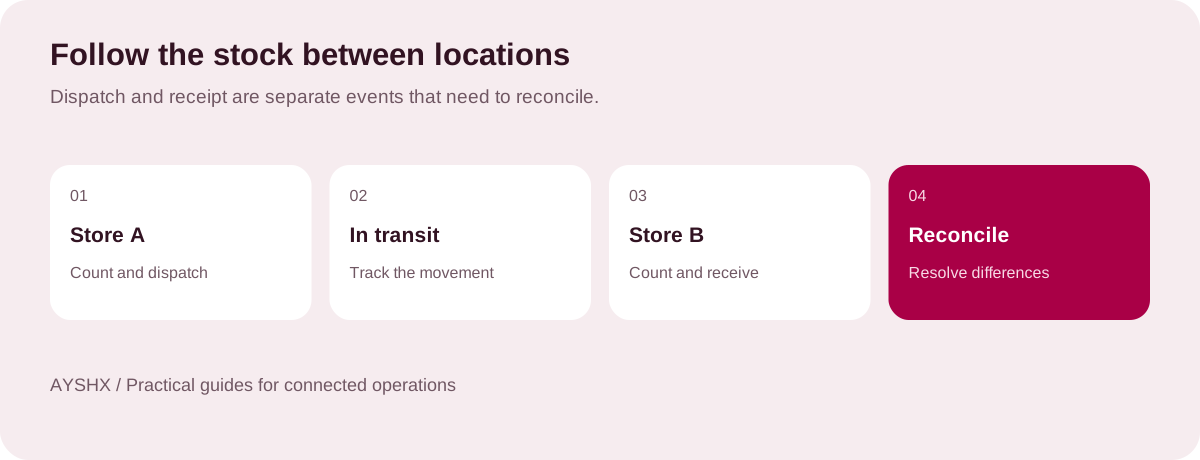
Treat a transfer as a process with two ends
Sending ten units does not mean the receiving location has ten units available to sell. Goods can be delayed, damaged, or counted differently on arrival.
Define the stages: transfer requested, goods picked, goods dispatched, goods received, and discrepancies resolved. Assign responsibility for each step. The software should make it possible to distinguish stock at a location from stock in transit.
Ask for a demonstration with an intentional mismatch. Send ten units and receive nine. Check where the missing unit appears, who can adjust it, and what record remains. A demonstration where everything balances will not answer that question.
Write the return rules before staff improvise
Decide whether customers can return goods at another branch, what evidence is required, and how refunds are authorised. Then test the accounting and inventory result.
A return can affect several records: the original sale, the refund, the receiving branch, and whether the item is suitable for resale. Putting every returned item straight into available stock can create problems when something is damaged or needs inspection.
Include exchanges, partial refunds, promotions, and mixed payment methods in the test set. Make sure staff can follow the process without creating an unrelated manual adjustment to make the numbers look right.
Separate the sale from the payment settlement
A completed sale and a bank settlement are related events, but they may occur at different times. Payment processor fees, settlement delays, refunds, and reversals can explain legitimate differences.
The daily closing process should compare the sales record with the relevant payment records and physical cash. Keep the difference visible until someone can explain it. A dashboard total alone does not establish that money has arrived.
For each payment method, decide what evidence is available, when it is available, and who reviews unmatched items. If a proposed POS includes reconciliation features, ask the supplier to show the connection to your actual payment providers and the treatment of fees.
Keep cash movements explicit too. A paid-out expense, a float adjustment, and a deposit should not silently change the interpretation of the day’s sales.
Test an internet outage before opening day
“Works offline” needs a demonstration. Confirm which actions remain available, what information becomes stale, and what the customer sees when a payment method requires connectivity.
Disconnect a test terminal, make eligible transactions, reconnect it, and inspect the resulting records. Check receipts, transaction identifiers, stock adjustments, and payments for duplicates or omissions.
Then try a conflict: two disconnected locations attempt to sell the last unit shown in a shared view. Ask how the system handles that situation and what your staff should do. The operational policy matters as much as the synchronisation behaviour.
Keep a written fallback for situations the software cannot handle. Staff should know who to call, what they can promise, and how to record the work so it can be reconciled later.
Use permissions that match real responsibilities
A cashier may need to complete a sale but not change a product’s cost. A branch manager may approve certain refunds but not edit historical transactions. A purchasing role may create orders without approving its own stock adjustments.
Map those responsibilities before creating accounts. Give each person their own access where the system supports it, and test whether sensitive actions leave an attributable record.
Make exceptions visible. An urgent price correction may be legitimate, but the person reviewing branch performance should be able to understand when it happened and why. A permission model is only useful if it allows normal work while preserving accountability.
Roll out with a checklist the branch can use
| Area | Evidence of readiness |
|---|---|
| Product records | Variants, units, prices, and barcode mappings checked. |
| Opening inventory | Physical count reconciled to the opening system balance. |
| Transfers | Dispatch, receipt, and discrepancy scenarios completed. |
| Payments and returns | Sale, refund, settlement, and unmatched-item tests completed. |
| Connectivity | Outage, reconnection, and fallback procedures tested. |
| People and access | Named accounts, permissions, training, and support contacts ready. |
| Reporting | Branch totals reconcile to agreed source records. |
Run a rehearsal with the people who will use the setup. Include a busy period, a change of shift, a return, and a discrepancy. Give the branch a short closing checklist rather than expecting everyone to remember a training presentation.
Keep the first rollout small enough to support properly. Record problems, resolve recurring causes, and update the procedure before repeating it at another location.
Watch the measures that reveal friction
Compare inventory adjustments, stock discrepancies, time spent closing, unmatched payments, and the number of transactions requiring a manager’s help. Look for patterns by item, shift, and location.
A branch with more adjustments is not automatically performing worse. It may be recording problems more honestly. Review the underlying events before drawing conclusions or setting targets.
Do not let advanced features distract from the basics. Forecasting, loyalty tools, or voice ordering may be useful once product records, transactions, and daily controls are dependable. Ask what data each feature needs and how you will judge whether it helps.
Questions to settle with your supplier
Must every location use the same hardware? Compatibility depends on the proposed setup. Test scanners, printers, terminals, and payment devices before buying at scale.
Can the existing POS stay in place? Possibly. Ask whether the missing capability can be added without creating duplicate records or an unsupported integration.
Does the system meet our invoicing and tax requirements? Confirm requirements for each jurisdiction and ask for evidence of the specific capability. A general claim about compliance is not a substitute for checking your setup.
AYSHX’s QORD POS is one option for exploring connected retail and food-service operations. Bring your catalogue, branch structure, payment methods, and difficult transaction examples to a scoping conversation.